Tiếng Việt
 日本語
日本語 한국어
한국어
In the fields of engineering design and architecture, DWG is the most widely used file format in the world. However, not everyone needs a full-featured CAD software solution just to open and view a drawing. For users who need to review, inspect, or make light edits to DWG files without investing in expensive software licenses, this article provides a detailed analysis of what a professional DWG Viewer should offer and why 3DViewStation stands out as a comprehensive solution in this segment.
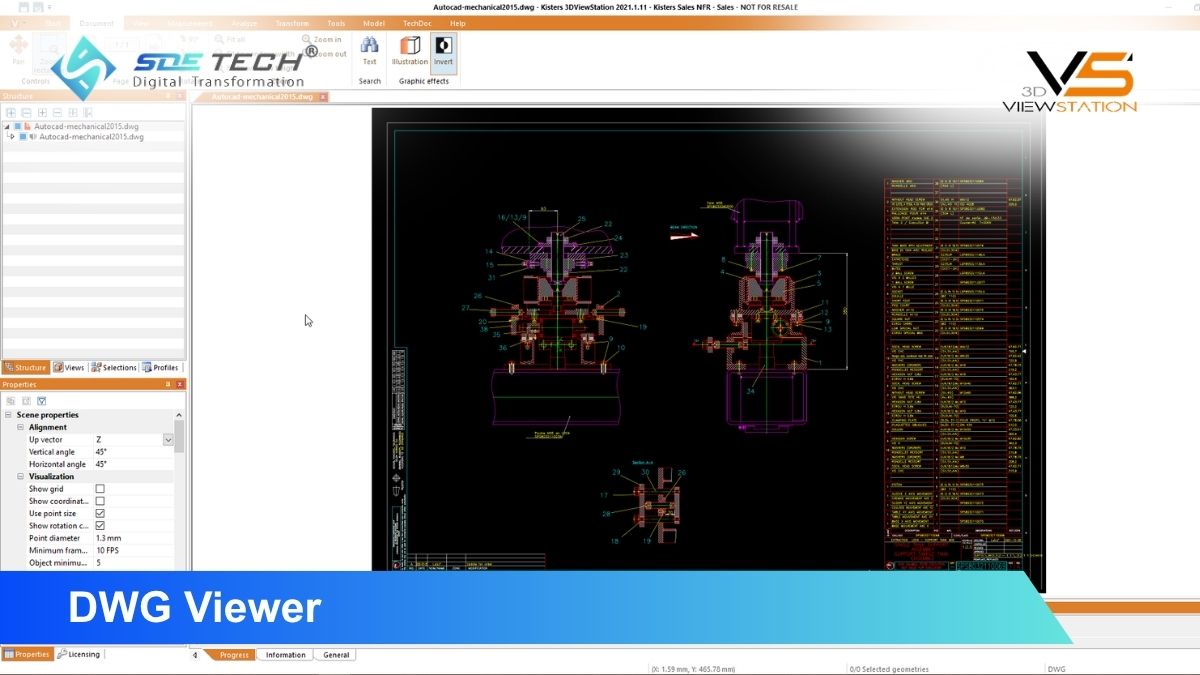
1. What is a DWG file and where is it used?
DWG, short for “drawing,” is Autodesk’s proprietary binary file format, first introduced with AutoCAD 1.0 in 1982. Since then, the format has continuously evolved and expanded with each new AutoCAD release.
Today, DWG files not only contain 2D and 3D geometry but also store a wide range of additional data, including BIM (Building Information Modeling) data, point clouds, geographic maps, embedded images, and technical metadata. This is why DWG has become an irreplaceable standard format in construction, architecture, and mechanical engineering industries.
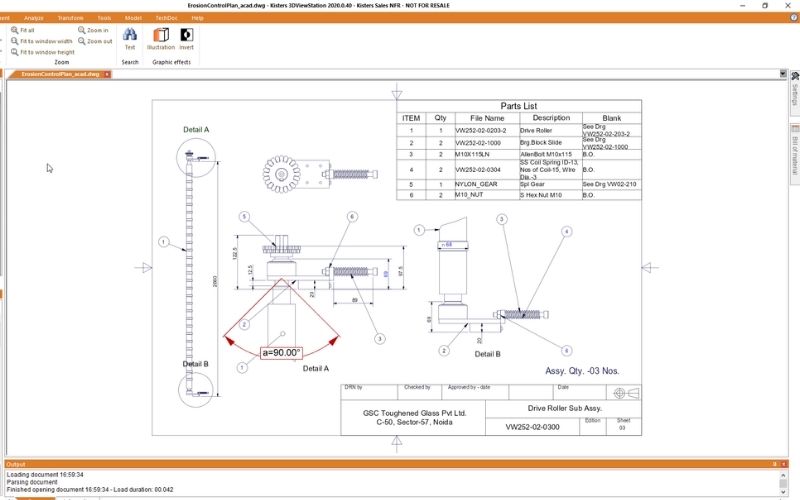
2. Available DWG Viewer options on the market
Users currently have three primary approaches when working with DWG files.
- Freeware DWG Viewers: Free tools such as Autodesk DWG TrueView allow users to open and view DWG files at a basic level. This is suitable if the requirement is limited to reading drawing information. However, these tools completely lack editing, annotation, and file conversion capabilities.
- Full AutoCAD software: This is the most powerful option in terms of functionality but comes with high licensing costs and a steep learning curve. AutoCAD is designed for creating and developing drawings from scratch, making it less suitable for users who only need to review, inspect, or convert files without being professional CAD engineers. In addition, interoperability with CAD formats from other ecosystems is still limited.
- Dedicated CAD Viewers such as 3DViewStation: This is the most balanced approach, offering complete viewing, editing, annotation, and conversion capabilities for multiple formats, with a much simpler interface than AutoCAD and suitable even for users without CAD expertise.
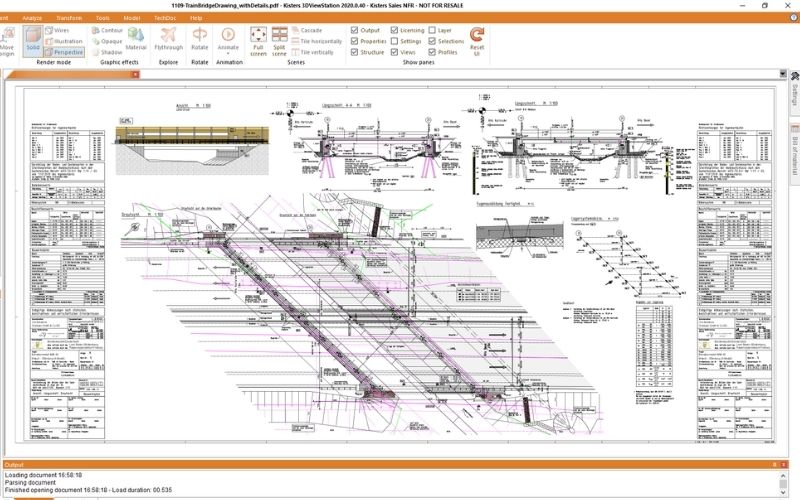
3. 3DViewStation DWG Viewer: More than just a viewing tool
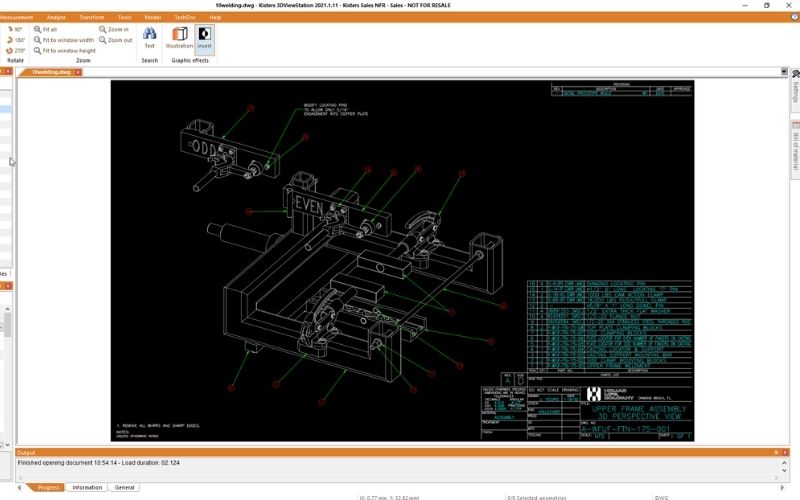
3DViewStation by Kisters was developed as a versatile CAD viewer solution, not limited to a single format or platform. In addition to DWG, the software supports more than 70 different file formats, including DXF, DWF, STEP, BMP, and formats from Revit, Inventor, Creo, Catia, SolidWorks, and many others without requiring CAD licenses from any vendor.
The biggest difference between 3DViewStation and conventional DWG Viewers lies in the depth of its functionality. The software offers more than 180 features, including:
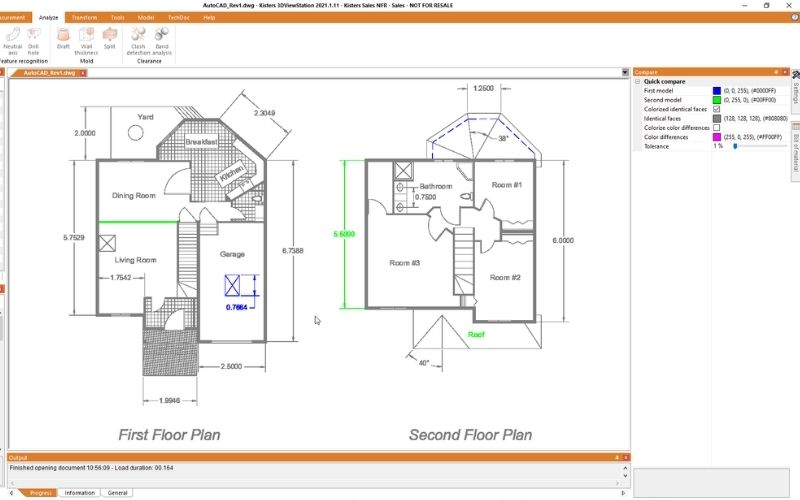
Direct measurement and dimensioning on drawings, adding annotations and comments to files, creating customized views, comparing two drawing versions to identify changes, exporting files to other formats, and converting DWG to PDF or intermediate formats without data loss. Even with large files, 3DViewStation maintains stable performance.
4. DWG vs. PDF: Why they cannot fully replace each other
A common question in engineering environments is whether PDF can replace DWG to avoid software costs. The short answer is no at least not in contexts that require engineering precision.
DWG supports more than 60 different geometry types along with numerous complex object attributes. In contrast, PDF only supports 5 basic graphical object types with limited properties such as color and line thickness. When converting from DWG to PDF, blocks are exploded, hatch patterns and dimensions are simplified, and numerical values are rounded. These losses become especially serious in large technical drawings or when combining multiple drawings together.
PDF is better suited as a digital print format rather than a true replacement for DWG in engineering workflows. The strength of 3DViewStation lies in its ability to convert between 2D and 3D formats without losing information from the original file.
5. View DWG files online with 3DViewStation WebViewer
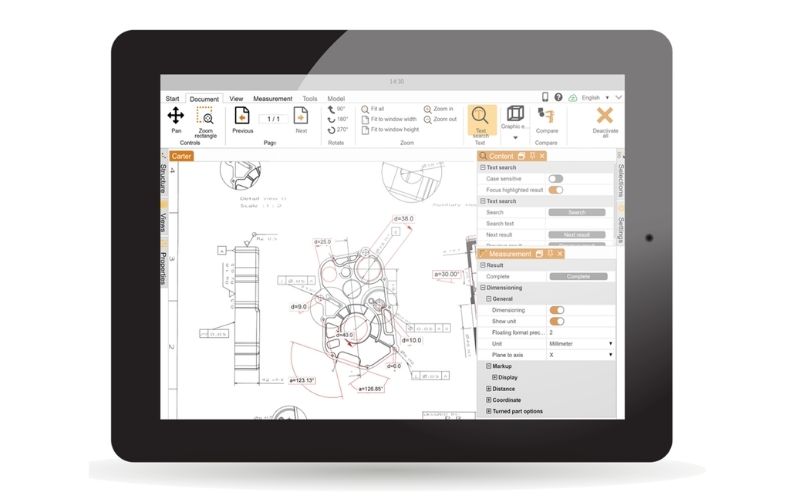
One of the standout features of 3DViewStation is its WebViewer version allowing users to open, view, and edit DWG files directly in a web browser without installing any software locally.
This means users can work with DWG files from Windows PCs, Macs, Android phones, or iPhones any device with a web browser can become a fully functional DWG Viewer. This platform flexibility is especially valuable in projects involving multiple stakeholders such as contractors, partners, and customers where not everyone uses the same software environment.
6. Compatibility with the latest DWG versions
As mentioned earlier, Autodesk does not publicly disclose the official technical specifications of the DWG format. This makes maintaining accurate support for new DWG versions a continuous technical challenge for all third-party DWG Viewer developers.
3DViewStation addresses this challenge by continuously updating its import/export interfaces with each new AutoCAD release. Users do not need to worry about whether the latest DWG versions can be opened or not the Kisters development team actively monitors and updates compatibility on a regular basis. This is an important commitment that not all DWG Viewers can maintain long term.
7. Multi-language and multi-unit support
In international working environments, the ability to switch interface languages and measurement units (inch, centimeter, millimeter, etc.) during operation helps multinational teams collaborate more effectively. 3DViewStation supports this flexibility, minimizing communication issues and unit-related misunderstandings in engineering projects involving participants from different countries.
8. Frequently asked questions about DWG Viewers
How is 3DViewStation different from the free DWG TrueView?
DWG TrueView only allows basic viewing of DWG files without editing, annotation, or export capabilities. 3DViewStation provides more than 180 additional features such as measurement, annotation, drawing comparison, format conversion, and support for over 70 CAD file types. It also includes a WebViewer version that enables fully browser-based operation.
Can DWG files be viewed on phones or Mac devices?
Yes. With the 3DViewStation WebViewer version, users can open and work with DWG files from any device with a web browser, including Mac, Android, and iPhone devices without installing additional software.
Does converting DWG to PDF cause data loss?
Yes, if standard conversion tools are used. PDF supports only 5 basic graphical object types, while DWG supports more than 60 geometry types. The conversion process often causes block loss, hatch simplification, and dimension rounding.
The need to work with DWG files is no longer limited to professional CAD engineers. Even purchasing departments may need to open, review, or annotate technical drawings in their daily work. Contact the team at SDE Tech to receive consultation and experience a trial of 3DViewStation, and discover whether this DWG Viewer solution fits your company’s workflow.
- Website: sde.vn
- Email: sales@sde.vn
- Hotline/Zalo: 085 256 2615