
 Tiếng Việt
 日本語
日本語 한국어
한국어
In the era of smart manufacturing, handling large-scale design files requires a capable software infrastructure. However, not every department needs a full, expensive CATIA license just to view files and extract data for quotation purposes. This article introduces a professional CATIA file viewer—3DViewStation—a solution that helps businesses optimize costs while significantly accelerating order processing spee
1. Understanding CATIA File Formats (.CATPart, .CATProduct)
CATIA (Computer-Aided Three-dimensional Interactive Application) is considered a “gold standard” in advanced mechanical design. Due to its high complexity and precision, its file formats carry unique characteristics that many standard CAD viewers cannot fully handle.
1.1. What Are CATIA Files and Why Are They Widely Used?
Developed by Dassault Systèmes, CATIA is a leading design platform for heavy industries. Automotive and aerospace companies favor CATIA for its ability to handle highly complex surface modeling and manage massive assemblies with hundreds of thousands of components. When you receive a CATIA file, it typically represents a comprehensive engineering dataset—capturing the complete “digital DNA” of the product.
1.2. Difference Between .CATPart and .CATProduct
- .CATPart: Contains the geometric data of a single component, including design parameters, feature history, and material properties.
- .CATProduct: Acts as an assembly file that manages relationships between multiple parts. It does not store actual geometry but references linked .CATPart files. As a result, if a .CATProduct file is missing its associated parts, the assembly will not display correctly.
1.3. Importance of PMI (Product and Manufacturing Information)
PMI (Product and Manufacturing Information) is critical data embedded directly within the 3D model (commonly referred to as 3D annotations). It includes geometric tolerances (GD&T), surface finish requirements, and technical notes. A robust CATIA file viewer must be able to read and display PMI accurately, enabling manufacturing teams to fully understand production requirements without needing to refer back to 2D drawings.
2. Common Challenges When Handling CATIA Files from Partners
Many supporting manufacturers (vendors) in Vietnam face significant cost and operational challenges when working with CATIA data from partners.
2.1. High Cost of CATIA Licenses Just for Viewing and Quoting
A licensed version of CATIA can cost from several thousand to tens of thousands of USD. Equipping purchasing or quotation teams with such high-end CAD software—just to open and review files—is a major financial inefficiency. What businesses truly need is a dedicated viewing solution, not a full design platform.
2.2. Performance Issues with Large Assemblies on Standard PCs
CATIA requires substantial RAM and GPU resources. When attempting to open large assemblies—such as automotive chassis or aircraft structures—on standard office computers, systems often freeze or crash, leading to frustration and delayed response times to customers.
2.3. Risk of Data Leakage from Free Online File Converters
To quickly access files, some users upload sensitive design data to free online file conversion websites. This creates a serious security vulnerability, as files may be stored on third-party servers—potentially violating NDA agreements and damaging trust with partners.
3. Must-Have Features of a Professional CATIA File Viewer
To effectively replace CATIA for inspection and review tasks, a professional viewing solution must meet the following critical requirements:
3.1. High-Precision Measurement Capabilities
The software must enable precise measurement of all key parameters, including distances between hole centers, angles between surfaces, as well as part volume and mass properties. Measurement accuracy should reach the micron level to support reliable material costing and machining planning.
3.2. Phân tích kỹ thuật (Technical Analysis)
- Mặt cắt (Cross-section): Cắt lớp mô hình để kiểm tra cấu trúc bên trong.
- Góc nghiêng (Draft angle): Cực kỳ quan trọng trong ngành khuôn mẫu để kiểm tra khả năng thoát khuôn.
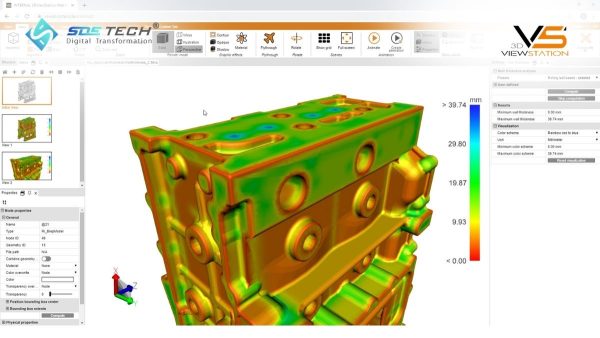
- Độ dày tường (Wall thickness): Phát hiện các vị trí quá mỏng dễ gây lỗi khi đúc hoặc in 3D.
3.3. 3D Model Comparison (3D Compare)
During collaboration, customers often provide updated revisions (Rev A, Rev B, etc.). The 3D Compare feature overlays two models and highlights differences, allowing engineers to instantly identify design changes and quickly adjust quotations or manufacturing plans.
3.4. File Export to Neutral Formats
Even as a viewer, the software should act as a data bridge. The ability to export files to neutral formats such as STEP, IGES, or Parasolid enables downstream teams (e.g., CAM programmers) to seamlessly continue processing in other engineering software systems—ensuring a smooth and efficient workflow across departments.
4. 3DViewStation – Advanced CATIA File Viewer Distributed by SDE Tech
If you’re looking for a solution that combines speed, performance, and cost-efficiency, 3DViewStation by KISTERS is the ideal choice. In Vietnam, SDE Tech is a trusted distributor of this powerful solution.
4.1. What is Kisters 3DViewStation?
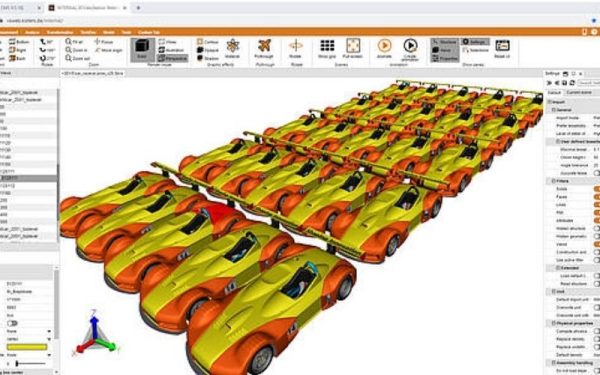
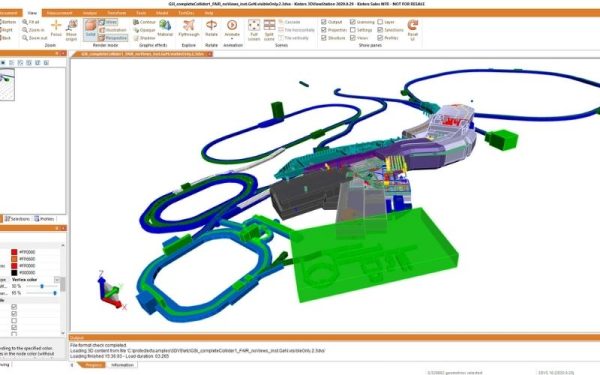
It is a standalone Multi-CAD viewer that operates independently of any design software. Designed to support over 60 different 2D and 3D file formats, 3DViewStation can efficiently handle even the largest and most complex files from CATIA, NX, Creo, and SolidWorks.
4.2. Ultra-Fast File Loading Performance
3DViewStation utilizes a highly optimized internal data format. A 10GB CATIA assembly can be opened and navigated smoothly within seconds—compared to 15–30 minutes in traditional CAD systems.
4.3. Native CATIA File Support (V4, V5, V6)
No conversion is required. Simply drag and drop .CATPart or .CATProduct files into 3DViewStation, and the geometry is displayed instantly with full reliability.
4.4. Preserved Assembly Structure and PMI Data
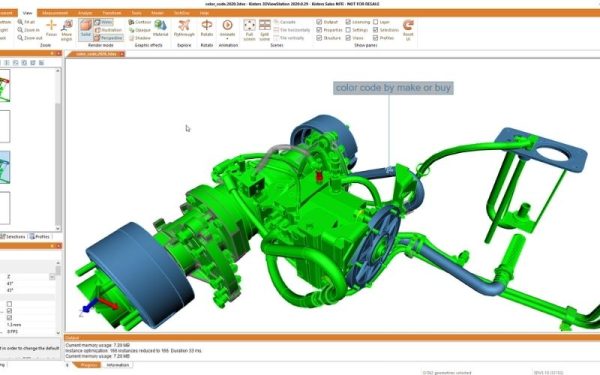
The key strength of 3DViewStation lies in its ability to accurately display the assembly tree structure. Users can easily show or hide individual components, inspect material properties, and—most importantly—view all PMI dimensions and annotations exactly as defined by the original designer.
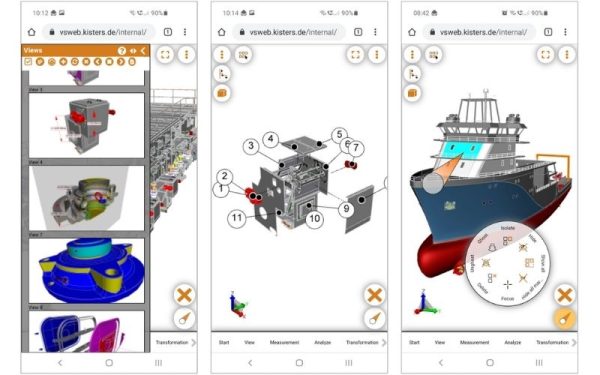
4.5. Flexible Multi-Platform Deployment
Beyond desktop usage, 3DViewStation is available in multiple formats:
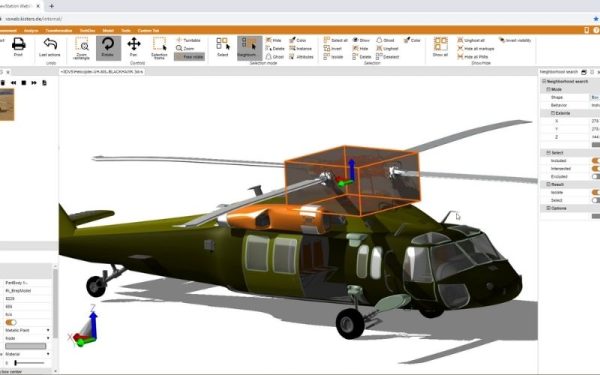
- WebViewer: Access directly via a web browser—no installation required
- VR Edition: Experience 3D models in immersive virtual reality for large assembly validation
5. Workflow for Fast Cost Estimation with 3DViewStation
Here’s how a quotation engineer can optimize their workflow using 3DViewStation:
- Step 1: Receive and Open the File: Instantly open the partner’s .CATProduct file without system lag or crashes.
- BStep 2: Calculate Raw Material (Stock): Use the Bounding Box feature to determine the maximum envelope size of the part. Combine this with material density to estimate the required raw material weight for cost calculation.
- Step 3: Markup and Feedback: Leverage built-in markup tools (annotations, arrows, redlines) directly in the 3D environment to highlight design issues. Export a lightweight 3D PDF report to share with customers—allowing them to rotate and review the 3D model without installing additional software.
- Step 4: Data Conversion for Manufacturing: Once the order is confirmed, export the model to STEP format and transfer it to the CAM team for machining programming.
6. Frequently Asked Questions about 3DViewStation
6.1. Can 3DViewStation edit CATIA 3D models?
No. 3DViewStation is designed specifically for viewing and analysis. By not allowing editing, it ensures data integrity, preventing unintended modifications during quoting or review processes.
6.2. How to fix missing parts in a .CATProduct file?
This issue occurs when the assembly file is provided without its referenced .CATPart components. 3DViewStation includes flexible path management tools that help quickly identify missing parts, allowing you to request the correct files from your partner.
6.3. Does 3DViewStation support other CAD formats?
Yes. In addition to CATIA, the software supports over 60 file formats, including NX, SolidWorks, Creo, Inventor, AutoCAD, as well as neutral formats like STEP, JT, Parasolid, CrownCAD, and even graphic formats such as OBJ and STL.
6.4. Can I view 3D models on mobile devices?
Absolutely. With the WebViewer version of 3DViewStation, you can access and present 3D models directly on smartphones or tablets—anytime, anywhere—via a simple link.
Choosing a dedicated CATIA viewer like 3DViewStation not only saves thousands of dollars in licensing costs, but also professionalizes your quoting and manufacturing workflows. Speed is a competitive advantage—and 3DViewStation is your tool to lead.
Ready to experience its performance firsthand? Contact SDE Tech today for a live demo:
- Website: sde.vn
- Email: sales@sde.vn
- Hotline/Zalo: 085 256 2615 – 0909 107 719





