
 Tiếng Việt
 日本語
日本語 한국어
한국어
RapidAuthor 14.0 in Teamcenter for Creative and Traditional Technical Documentation Now Available
The RapidAuthor product line within Teamcenter enables users to create a wide range of technical documentation for manufacturing and after-sales support, usable on desktop and mobile platforms as well as Augmented Reality applications. Thanks to integration with Teamcenter, documentation can be easily updated when product lifecycle changes occur. The result is detailed catalogs, job cards, and maintenance instructions of high quality and accuracy for end users.
RapidAuthor 14.0 introduces extended integration with the Teamcenter portfolio, significant improvements in 2D creation and editing, as well as enhanced use of parametric objects.
In RapidAuthor 14.0, a static component can be automatically replaced with a HoseSpline parameter to easily convert it into a dynamic part. Multiple component parameters can now be quickly copied from one part to another. The state of parametric objects has been improved when creating visual effects or deleting linked items.
Integration of RapidAuthor with Teamcenter Active Workspace now provides users with the following capabilities:
- Edit and publish S1000D and SCORM-compliant documentation.
- Edit and publish DITA map-based documentation.
- Create Augmented Reality content from published Active Workspace documents.
- Create content connected to the REFLEKT ONE repository.
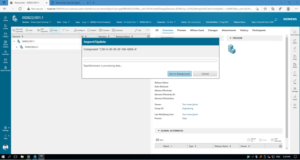 | 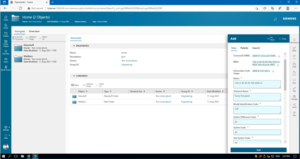 |
The new RapidAuthor Client application in Teamcenter ensures seamless collaboration between RapidAuthor and Teamcenter within Active Workspace.
Integration with Teamcenter Service Planner is also extended. Users can create service instructions using tools in Service Requirements including:
- Automatically generating XML text, 2D/3D illustrations, and animations.
- Applying engineering and service changes to interactive service documentation.
2D image generation has been improved: create raster images with transparent or current 3D background; original size of raster and vector images is preserved when updated.
2D image editing introduces many time-saving features:
- Objects are highlighted when hovered over to speed up selection.
- Additional color attributes help users distinguish different object types, e.g., thick vs. thin lines.
- The ability to hide or lock individual objects allows temporarily excluding distracting elements from editing.
Starting with RapidAuthor 14.0, the “use browser plugins” publishing option is no longer available; users can only create plugin-free publications. Plugin-free publications can be viewed online with Cortona3D Solo supported by most modern platforms and browsers. The standalone RapidAuthor Viewer for offline viewing of plugin-free publications on Windows was already available in previous releases.
You can also download the full list of new features in RapidAuthor 14.0 here.

About the Author: This blog was written by Marina Nemchenko, Marketing and Sales Director at Cortona3D, who has over 10 years of experience delivering advanced technical publishing solutions across various industries. Cortona3D provides services and solutions for technical documentation publishing and interactive viewing, successfully collaborating with Siemens since 2008. RapidAuthor products are tightly integrated with Siemens’ Teamcenter® portfolio to efficiently produce high-quality, interactive 2D, 3D, and animated technical documentation from engineering data.
Source: Siemens
SDE TECHNOLOGY CO., LTD (SDE TECH) was founded in 2014. By 2018, we proudly became a Smart Expert Partner – the leading partner of Siemens Digital Industries Software in Southeast Asia – Pacific for Siemens NX (Unigraphics NX), Simcenter, Solid Edge, Tecnomatix, and Teamcenter solutions.






