
 Tiếng Việt
 日本語
日本語 한국어
한국어
The concept of design on online platforms is rapidly becoming an inevitable trend, helping eliminate barriers related to hardware limitations and geographical distance. However, to ensure an effective transition, businesses need a clear understanding of what Online CAD truly is, as well as its fundamental differences compared to traditional CAD solutions.
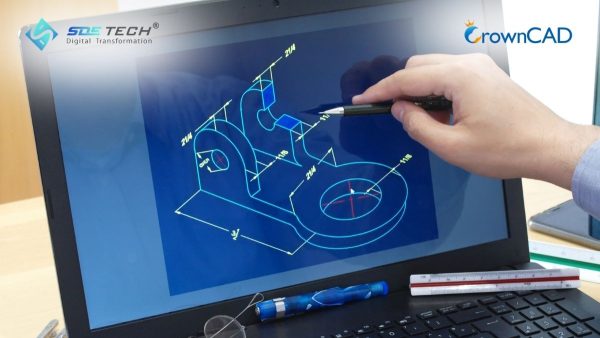
1. What is Online CAD?
To accurately define Online CAD, it is essential to understand that these are Computer-Aided Design (CAD) solutions built on a cloud-native architecture. Unlike traditional software that requires local installation on a computer, Online CAD enables users to perform the entire design workflow—from 2D sketching and 3D modeling to generating technical drawings—directly within a web browser.
A key differentiator of Online CAD lies in how data is processed. Instead of relying on the local CPU and GPU resources of a personal computer, complex geometric computations are executed on powerful cloud servers. Design data is no longer stored as standalone files (such as .dwg or .sldprt) on a hard drive; instead, it is centrally managed as a cloud-based database, allowing for real-time access, synchronization, and collaboration.
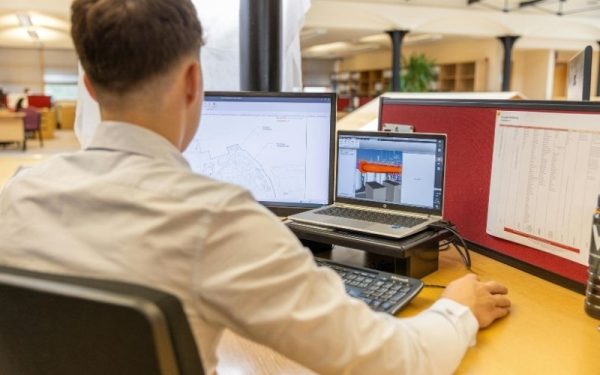
2. How Online 3D Design Platforms Work
These platforms operate based on the SaaS (Software as a Service) model. Users only need an account and an Internet connection to start working.
All modeling and editing actions performed in the browser are transmitted as commands to cloud servers. The modeling engine processes these operations on the server side and streams the updated results back to the user’s screen in real time. This architecture ensures that all team members are always working on a single, unified version of the design. As a result, it completely eliminates data inconsistencies caused by manual file sharing across different machines.

3. Key Advantages of Online CAD in the Digital Era
By gaining a deeper understanding of what Online CAD is, businesses can clearly recognize the strategic benefits that traditional solutions often struggle to deliver in today’s flexible working environment.
3.1 Real-Time Collaboration
This is the most significant advantage of online 3D design platforms. Multiple engineers can simultaneously access a large assembly model, edit different components, and instantly see each other’s changes in real time. This capability significantly reduces the need for lengthy meetings and drawing comparisons, thereby accelerating overall project timelines.
3.2 Hardware Infrastructure Cost Optimization
With traditional CAD systems, companies are required to invest in high-end workstations with powerful graphics capabilities. In contrast, Online CAD reduces the dependency on local hardware. Since computations are performed in the cloud, engineers can work efficiently using mid-range laptops or even tablets while maintaining smooth performance.
3.3 Anytime, Anywhere Access and Flexibility
Users are no longer restricted to working within the office environment. With an Internet connection, design data is accessible from virtually anywhere. This is especially valuable for managers who need to review designs on-site, as well as for engineers working remotely. Additionally, software updates are handled automatically on the server side, ensuring users always have access to the latest version without complex installation procedures.
4. Limitations and Challenges of Online CAD
While Online CAD offers significant advantages, a comprehensive understanding also requires a clear and objective view of its current limitations in order to develop appropriate mitigation strategies.
4.1 Dependence on Internet Connectivity
Since all data processing and commands are executed online, a poor or unstable Internet connection can introduce latency and disrupt the design workflow. In cases of complete disconnection, users may lose access to their data and be unable to continue working—unless the platform provides limited offline capabilities.
4.2 Limitations in Advanced Functionalities
Although Cloud CAD platforms such as CrownCAD are evolving rapidly, they may still face limitations in highly specialized applications. For example, complex computational fluid dynamics (CFD) simulations or the design of extremely large-scale assemblies with millions of components are still better handled by on-premise software, which offers deeper and more mature toolsets.
4.3 Data Security and Ownership Concerns
Many organizations in sensitive industries such as defense or aerospace remain cautious about storing intellectual property on third-party servers. Although modern Online CAD providers implement bank-level security standards, potential risks related to cybersecurity and data control—especially in the event of service disruptions—remain critical considerations for enterprises.
5. Detailed Comparison Between Online CAD and Traditional CAD
To provide businesses with a clear and transparent basis for choosing between these two approaches, we present a comparison based on key technical criteria:
| Criteria | Traditional CAD (On-premise) | Online CAD (Cloud-native) |
|---|---|---|
| Deployment | Complex installation, device-based licensing | No installation required, browser-based access |
| Hardware Requirements | High-end workstations, significant investment | Runs on most standard devices |
| Data Management | File-based storage (.dwg, .step…), risk of data loss | Centralized database, real-time synchronization |
| Collaboration | File sharing via email/USB, prone to version conflicts | Real-time collaboration on a single data source |
| Cost Model | Perpetual license or annual subscription (typically high) | Flexible per-user subscription (SaaS) |
The choice between Online CAD and Traditional CAD depends on factors such as project scale, enterprise network infrastructure, and industry-specific security requirements.
6. Frequently Asked Questions About Online CAD
6.1 Is data on Online CAD more secure than on personal computers?
Generally, yes. Cloud providers implement multi-layer encryption and redundant server systems. In contrast, personal computers are more vulnerable to risks such as hardware failure, viruses, or device theft, which can result in complete data loss.
6.2 Can Online CAD read file formats from other software?
Yes. Most modern Online CAD platforms support importing and exporting common neutral formats such as STEP, IGES, and STL, as well as native files from software like SolidWorks or NX.
6.3 Can I work without an Internet connection?
This depends on the platform. Some solutions allow local caching for limited offline work, with automatic synchronization once the connection is restored. However, real-time collaboration features will be temporarily unavailable.
Understanding what Online CAD is enables businesses to define an effective digital transformation roadmap for design and manufacturing processes. This is not just a shift in tools, but a transformation in how data is managed and how teams collaborate. Despite challenges related to Internet infrastructure, the benefits of Cloud CAD in terms of cost efficiency and flexibility are undeniable.
With extensive experience in engineering consulting, SDE TECH is ready to support businesses in adopting advanced Online CAD solutions such as CrownCAD. Contact our engineering team today to experience cloud-based design platforms and receive in-depth technical consultation., nhưng những lợi ích về chi phí và tính linh hoạt mà Cloud CAD mang lại là không thể phủ nhận.
- Email: sales@sde.vn
- Hotline/Zalo: 085 256 2615 – 0909 107 719





