
 Tiếng Việt
 日本語
日本語 한국어
한국어
In the context of the manufacturing industry undergoing a strong shift toward automation, the role of design support tools has become more important than ever. The right mechanical design software not only helps engineers turn complex ideas into reality but also serves as a foundation for optimizing productivity, minimizing errors, and enhancing a company’s overall competitiveness.
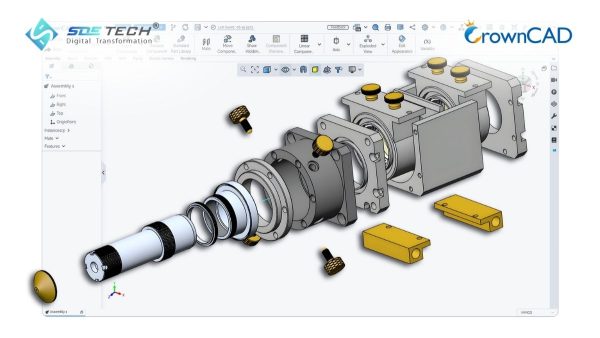
1. The Importance of Choosing the Right Mechanical Design Software
Before diving into the detailed list, it is essential to understand that design software represents a critical first step in the entire manufacturing process. Choosing the wrong tool can lead to missing essential features, difficulties in hiring skilled personnel, or unnecessary licensing costs.
A standard mechanical design software must address three core requirements: accurate modeling capability, data compatibility, and collaboration functionality. In a modern mechanical design workflow, 3D design data is continuously transferred across simulation (CAE) and manufacturing (CAM) departments. Therefore, software ecosystem integration is a key factor to ensure smooth project execution and maximize overall economic efficiency.
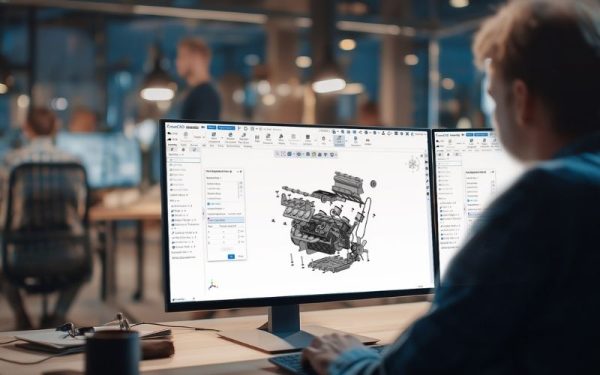
2. Evaluation of the Top 6 Most Popular Mechanical Design Software
Below is a list of leading solutions in the market, both in terms of user base and advanced technical capabilities.
2.1. SolidWorks
SolidWorks is currently one of the most widely used mechanical design software solutions worldwide. With its intuitive interface and extensive standard component library, it is especially powerful for special-purpose machine design and complex mechanical systems.
- Advantages: Strong capability in managing large assemblies, cExtensive user community, making recruitment and training easier.
- Limitations: Requires high hardware specifications and relatively high annual CAD licensing costs
2.2. Autodesk Inventor
Inventor is a direct competitor to SolidWorks, offering professional tools for 3D mechanical design, simulation, and manufacturing communication. Its key strength lies in seamless integration with AutoCAD, forming a familiar ecosystem for companies already using Autodesk products.
- Advantages: Powerful parametric design tools, strong support for sheet metal and welded structure design
- Limitations: Large assembly handling (over 10,000 components) is sometimes less optimized compared to high-end solutions
2.3. CATIA
For companies participating in supply chains of aerospace or automotive giants, CATIA is an indispensable solution. It is a high-end mechanical design software focused on extremely complex surface modeling.
- Advantages: Extremely powerful PLM, systems engineering capabilities and industry standard in aerospace and automotive design
- Limitations: Very high licensing cost and requires highly skilled engineers to operate effectively
2.4. AutoCAD
Although the industry is shifting toward 3D CAD solutions, AutoCAD remains essential for 2D drafting such as layouts, electrical schematics, and technical drawings.
- Advantages: LA universal engineering standard, Highly compatible with most engineering software worldwide.
- Limitations: Limited 3D capabilities and not suitable for modern parametric and simulation-driven mechanical design projects
2.5. Siemens NX (hoặc Solid Edge)
Siemens provides extremely high-precision and stable design tools. These software solutions are widely used in mold manufacturing and precision machining industries due to their strong integration between CAD and CAM.
- Advantages: Excellent handling of large and complex datasets and strong data synchronization and industrial-grade stability.
- Limitations: Relatively complex interface and steep learning curve for beginners
2.6. CrownCAD – Đột phá công nghệ thiết kế đám mây (Cloud CAD)
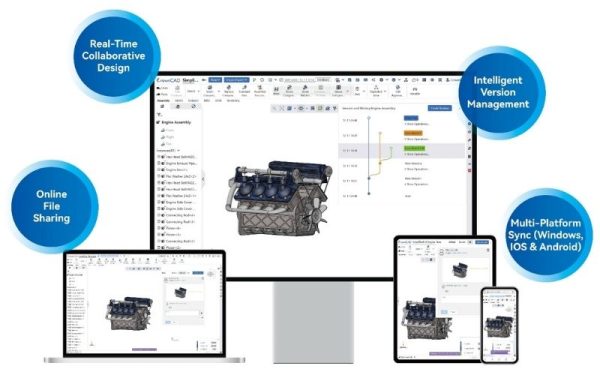
As digital transformation accelerates, CrownCAD emerges as a smart alternative for companies seeking cost optimization. It is a fully cloud-based 3D mechanical design platform, allowing engineers to work directly in a web browser without installing heavy software.
- Advantages: No need for high-performance computers, real-time collaboration capabilities and highly competitive licensing cost
- Limitations: Still developing its user community in Vietnam compared to established global brands
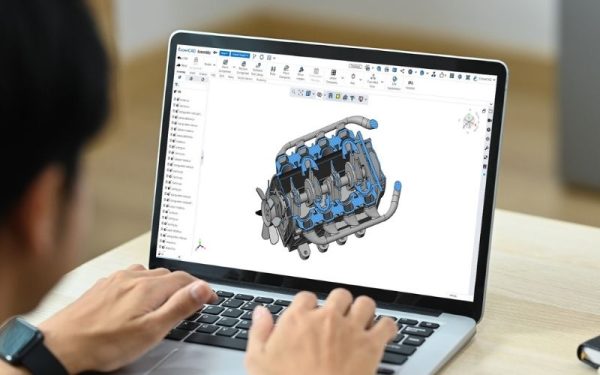
3. Technical Criteria for Selecting Mechanical Design Software
To choose the most suitable tool, engineering and procurement teams need to evaluate it based on the following key criteria:
3.1. Parametric and Surface Modeling Capability
A powerful mechanical design software must allow users to flexibly modify dimensions and geometric relationships. For companies specializing in special-purpose machine design, the ability to quickly generate product variants from a single base model is essential for improving productivity. In addition, strong surface modeling (surfacing) capability is critical when producing aesthetically demanding products such as electronic device housings, where smooth and precise surfaces are required.
3.2. Compatibility and Data Exchange
The selected software must support importing and exporting a wide range of intermediate file formats such as STEP, IGES, and Parasolid. This ensures that when customers provide data from different mechanical design software, engineers can still open, edit, and work with the models without compatibility issues. SDE Tech always prioritizes open-architecture solutions such as CrownCAD, helping businesses avoid being locked into a single software ecosystem.
4. Frequently Asked Questions about Mechanical Design Software
Below are some of the most common questions SDE Tech receives during customer consultations.
4.1 Should I choose traditional installed software or cloud-based software?
It depends on your needs. If your company has strong IT infrastructure and works from a fixed location, traditional software such as SolidWorks is a good choice. However, if you want to optimize costs, enable remote working flexibility, and support multi-user collaboration, then cloud-based 3D CAD solutions like CrownCAD represent the inevitable future trend.
4.2 Which mechanical design software is easiest to learn for beginners?
Most modern CAD systems share a similar ribbon-style interface. However, CrownCAD and SolidWorks are widely considered to have the shortest learning curve due to their intuitive interfaces and logic-based design commands, making them suitable for Vietnamese engineers as well.
4.3 How is mechanical design software licensing typically priced?
Typically, there are two licensing models: a Perpetual License, which is a one-time purchase with an annual maintenance fee, or a Subscription model, which is paid on a yearly basis. Modern CAD software solutions such as CrownCAD often adopt flexible subscription plans, helping businesses reduce initial financial pressure.
Conclusion, there is no single “best” mechanical design software for everyone—only the most suitable one for each company’s needs and financial capacity. While solutions like SolidWorks and CATIA continue to dominate traditional industrial segments, CrownCAD is opening a new era of flexibility and cost efficiency through cloud technology. For expert consultation on the most optimal mechanical design solution for your business, contact SDE Tech today!
- Website: sde.vn
- Email: sales@sde.vn
- Hotline/Zalo: 085 256 2615 – 0909 107 719





