
 Tiếng Việt
 日本語
日本語 한국어
한국어
What’s new in NX 12?
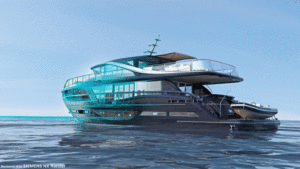
After the latest NX release, we want to give a detailed look at the NX improvements you can expect across different areas. This article focuses on Visualization and Rendering. Check the content below for the new interface highlights!
https://video.mentor.com/embed/62c6a841-fa87-4cd4-bccc-7f2dbbfec0b6
Workflow Improvements for Material and Decal Authoring
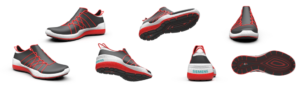
Decal usability has been fully improved, along with the new UV Map generation for precise texturing of visual materials and decals. User testing showed a threefold improvement in authoring efficiency.
Decal positioning has been enhanced to use sizing and manipulation tools in the What’s New window:
- Use standard tools to set orientation
- Support for planar, cylindrical, spherical, and UV maps
- Dialog workflow has been simplified
See the example below for decal authoring in the latest release:
https://video.mentor.com/embed/e4d932c9-8c18-43c0-ae1e-bd601e43bf3b
UVMap Authoring Available with NX Render
New unwrapping capabilities for curved and convergent surfaces:
- Create continuous UV maps for material and decal use
- Introduce a UVMap for new object types
- Stored in a new detailed material folder
UV Maps for Accurate Visual Materials and Decals
UV maps can be applied on planar faces:
- Behaves like a feature
- UV map regenerated on demand
- Materials and decals can access UV maps using the UV Map projection type
Demo video below:
https://video.mentor.com/embed/2ee5106a-2de9-4f11-b686-c6ae1c366911
NX Extended Reality – Export XR Files with Rich Visuals
NX Extended Reality is a new product included with value-based licensing.
Export to extended reality (XR) formats:
- Support for GLTF and GLB formats
- Export CAD data with rich visuals for desktop, mobile, and web viewers using headsets. Decals are exported the same as Siemens Visual Material. Animation designers can import motions.
- Cameras
- Assembly arrangements and explosions. Full model hierarchy and geometry compression.
Demo video:
https://video.mentor.com/embed/778f5362-b1d5-4215-af59-d5904a1895b4
Visualization Productivity: Workflow and Efficiency Improvements for NX Render
NX Render: Aspect ratio support for consistent camera setup.
With aspect ratio support in rendering, you can capture the desired frame ratio for your camera.
- Enable aspect ratio in ray-tracing studio
- Easy setup and reproduction of shots with selected cameras
- Desired aspect ratio can be set independently from the NX viewport aspect ratio
- Match background aspect ratio
- Studio view also complies with background aspect ratio, allowing pre-setup before NX Render launch
Demo video:
https://video.mentor.com/embed/b90f43cb-951e-461e-af19-916e836838c1
Ground Plane Glossiness
Add gloss and color filtering to reflections! Enables designs to blend with a more natural ground, improving overall image production quality. Use reflection color filters to better match background colors.
Demo video:
https://video.mentor.com/embed/1437bf84-5fa5-49e1-99a2-417275a5d501
Ambient Shadows in Studio Mode
Ambient shadow feature has been enhanced to deliver stronger, more expected results. This is a great way to add depth and shape understanding to design reviews, giving a deeper and more realistic insight.
Demo video:
https://video.mentor.com/embed/f160923b-04d9-4547-b30e-6266cd46b4eb
Source: Siemens
SDE Digital Technology Co., Ltd. (SDE TECH) was established in 2014. In 2018, we were honored to become a Smart Expert Partner – a leading partner of Siemens Digital Industries Software in Southeast Asia – Asia Pacific for Siemens NX (Unigraphics NX), Simcenter, Solid Edge, Tecnomatix, and Teamcenter lifecycle management solutions.
 Enterprises and customers wishing to contact SDE TECH using the following information:





