
 Tiếng Việt
 日本語
日本語 한국어
한국어
Throughout the history of the mechanical engineering industry, SolidWorks has established itself as an iconic benchmark in the world of 3D design. However, the rapid rise of cloud computing and the growing demand for flexible collaboration have sparked a new revolution. CrownCAD—the first cloud-native CAD platform—is emerging as a formidable challenger to traditional software. So, when comparing CrownCAD with SolidWorks, which solution should businesses choose to maintain professional design capabilities while optimizing costs and collaboration efficiency? Let’s explore a detailed analysis with SDE Tech in the article below.
1. Overview of CrownCAD and SolidWorks
1.1 SolidWorks: The Strength of a Proven Legacy
SolidWorks (developed by Dassault Systèmes) is one of the most widely used desktop-based CAD solutions in the world. With a long-established ecosystem, SolidWorks provides an extremely powerful suite of tools for mechanical design, simulation, and data management. However, running SolidWorks typically requires high-performance hardware and involves a relatively complex installation and system setup process.
1.2 CrownCAD: The Future of Cloud-Based Design
CrownCAD is a professional 3D CAD platform built on a cloud-native architecture. Its most distinctive advantage is that it operates entirely through a web browser. This means users do not need to install software or worry about hardware specifications, while still gaining access to advanced design capabilities comparable to traditional CAD systems.

2. Core Difference: Cloud-Native vs Desktop CAD
The biggest difference when comparing CrownCAD with SolidWorks lies in their operating platforms. This factor largely determines the flexibility and accessibility for engineering teams and businesses.
| Criteria | CrownCAD | SolidWorks |
|---|---|---|
| Hardware requirements | No complex hardware requirements | Requires a high-performance workstation |
| Installation | No installation required (runs on the web) | Complex installation, large storage usage |
| Accessibility | Accessible anywhere, on any device (mobile/tablet) | Only accessible on computers with the software installed |
| Data management | Built-in cloud data management (PDM) | Requires additional PDM modules or manual file management |
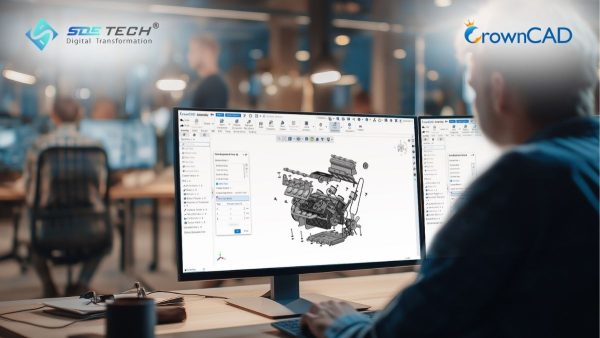
With CrownCAD, computational power resides on cloud servers. Engineers can open large assemblies containing thousands of components using a lightweight laptop—or even a tablet—something that SolidWorks typically cannot handle smoothly without powerful workstation hardware.
3. Collaboration and Teamwork Capabilities
Based on this comparison, it is clear that CrownCAD was designed to solve one of the biggest challenges modern engineering teams face: collaboration.
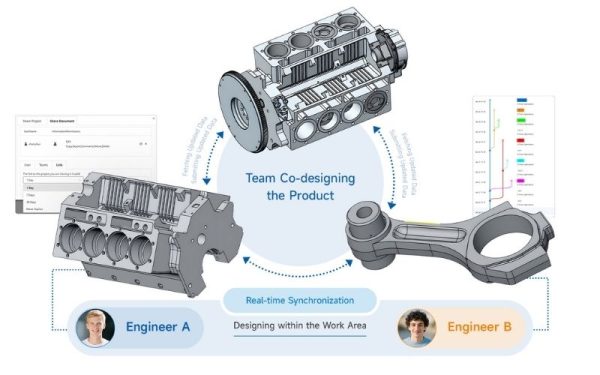
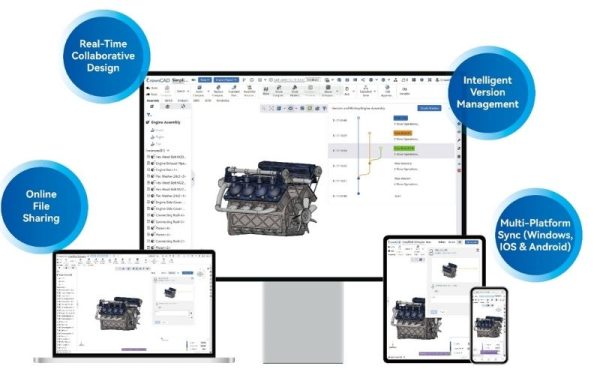
- Real-time collaboration: Similar to Google Docs, CrownCAD allows multiple engineers to view or edit the same design simultaneously. Traditional SolidWorks workflows usually allow only one user to write to a file at a time, which can easily lead to data conflicts.
- Direct commenting: Engineers can leave comments and feedback directly on the 3D model, enabling faster design reviews and approvals.
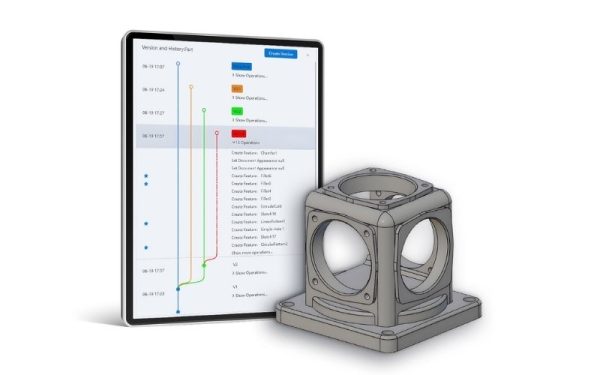
- Version control: CrownCAD automatically stores the entire design history. This eliminates the confusion of managing multiple files such as “Final_v1”, “Final_v2”, and similar naming issues common in traditional SolidWorks workflows.
- Easy CAD file sharing: CrownCAD allows designs to be shared quickly via secure links, making it much easier and safer to collaborate with external partners or suppliers.

4. Comparison of Professional Design Capabilities
Many engineers worry that web-based CAD software may be less powerful than traditional desktop applications. However, a detailed feature comparison shows that CrownCAD offers capabilities that are largely on par with SolidWorks in advanced engineering design.
- Engineering Design Capabilities: Both platforms support essential professional tools, including 2D/3D sketching, surface modeling (surfacing), direct editing, and Model-Based Definition (MBD).
- Industrial Design Features: Key modules widely used in manufacturing—such as Sheet Metal, Weldments, and Bill of Materials (BOM) management—are fully supported within CrownCAD.
- Assembly and Motion: CrownCAD provides flexible assembly capabilities, top-down design workflows, and animation-based motion visualization, delivering performance comparable to SolidWorks for complex mechanical systems.
- Extensibility and Customization: Both platforms provide open APIs, enabling companies to develop custom modules or automation tools tailored to their internal design workflows.
This balance demonstrates that CrownCAD is not merely a drawing viewer, but a fully professional CAD design software solution.
5. Mobile Accessibility
In the evaluation criteria, Mobile Support is one area where CrownCAD receives a check mark (✓), while SolidWorks is marked with a cross (✗).
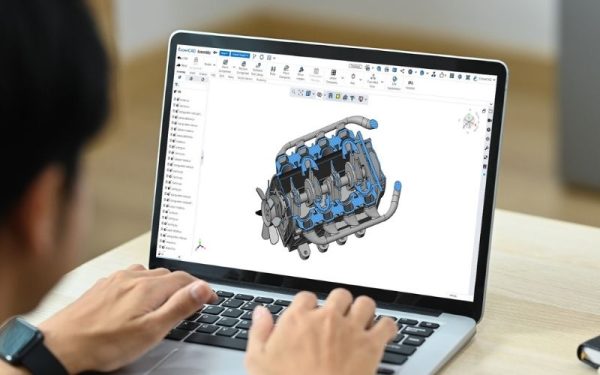
With the rapid development of 5G, the demand to review and verify CAD designs directly on the shop floor or at construction sites has increased significantly. Engineers using CrownCAD can access their entire CAD database through a smartphone or tablet, making it easy to review models and communicate with machine operators or technicians in real time. In contrast, SolidWorks users typically need to export files into formats such as eDrawings or PDF, which often results in fragmented data and loss of synchronization with the original design model.
6. Investment Cost and Economic Efficiency (ROI)
When comparing CrownCAD and SolidWorks from a financial perspective, businesses should evaluate the Total Cost of Ownership (TCO).
- Hardware Costs: Using CrownCAD can help companies save significant investments in expensive high-performance graphic workstations, since most computing tasks are handled by cloud servers.
- IT Maintenance Costs: CrownCAD updates automatically on the cloud. As a result, businesses do not need dedicated IT resources to install updates or troubleshoot software issues on individual machines.
- Licensing Costs: CrownCAD typically follows a Software-as-a-Service (SaaS) subscription model, allowing companies to manage costs more flexibly and easily scale the number of users based on project needs.
7. Detailed Comparison: CrownCAD vs SolidWorks
Below is a summary table of the most important evaluation criteria when comparing CrownCAD and SolidWorks:
| Evaluation Criteria | CrownCAD | SolidWorks |
|---|---|---|
| No complex hardware requirements | ✔ | ✘ |
| No installation required | ✔ | ✘ |
| Real-time collaboration | ✔ | ✘ |
| Mobile support | ✔ | ✘ |
| Version control | ✔ | ✘ |
| 3D design / Sheet Metal / Weldments | ✔ | ✔ |
| 2D drawing / BOM / Animation output | ✔ | ✔ |
| Open API integration | ✔ | ✔ |
8. Which Solution Should Businesses Choose?
The right choice depends on each company’s strategy and operational needs.
Choose SolidWorks if:
Your company already has powerful workstations, a well-established internal workflow built around SolidWorks, and limited demand for remote work or real-time collaboration.
Choose CrownCAD if:
- Your business wants to reduce hardware investment costs.
- Your design team needs continuous real-time collaboration and data sharing.
- Your organization is undergoing digital transformation and wants to manage CAD data centrally on the cloud.
- You need the flexibility to review and access designs anytime, anywhere on mobile devices.
9. Frequently Asked Questions About CrownCAD and SolidWorks
9.1 Is data on CrownCAD secure?
Yes, it is highly secure. CrownCAD uses leading cloud security standards, where data is encrypted and continuously backed up, eliminating the risk of data loss caused by personal hardware failures such as damaged hard drives.
9.2 Can CrownCAD read SolidWorks files?
Yes. CrownCAD supports importing most neutral CAD file formats as well as files from widely used CAD systems, including SolidWorks, making it easier for companies to transition between platforms.
9.3 Will working on the web be slow if the internet connection is weak?
CrownCAD is optimized for efficient data transmission. Only small incremental changes are uploaded to the cloud, meaning that with today’s standard internet connections, the design experience remains smooth and responsive.
The comparison between CrownCAD and SolidWorks ultimately represents a broader contrast between traditional CAD thinking and the future of cloud-based CAD. If SolidWorks represents the symbol of pure engineering power, then CrownCAD represents connectivity, flexibility, and optimized resource utilization.
At SDE Tech, we believe that mastering cloud technology will enable Vietnamese manufacturing businesses to move faster and expand further in the global market.
- Email: sales@sde.vn
- Hotline/Zalo: 085 256 2615 – 0909 107 719
Become a CrownCAD distribution partner:





