
 Tiếng Việt
 日本語
日本語 한국어
한국어
WHAT’S NEW IN 3D DESIGN IN SOLID EDGE 2022
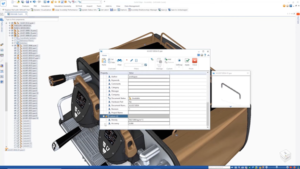
Sometimes, the simplest design enhancements can be the most impactful. With over 550 customer-requested improvements, Solid Edge 2022 introduces several exciting new features. While these may not have been highlighted during the launch, they are highly valued by our customers.
“The number of new features and improvements in Solid Edge 2022 is substantial.”
Carsten Oestmann, Project & IT/CAD Applications Director, Focke
Solid Edge 2022 introduces a unique radiate command that allows you to easily edit the radius of circles in part models. With this feature, pattern surfaces are automatically detected and accurately modified. Pattern locked dimensions are temporarily relaxed during radiate operations and locked back afterward.
The new synchronous technology allows satellite faces to move radially during an operation while maintaining design intent, making it easy to recreate wheels or similar components.
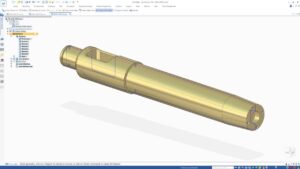
Gussets
No more manual work. Gussets can now be created as internal components in assemblies and frames, reducing product development time.
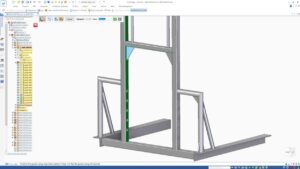
Family of Assemblies
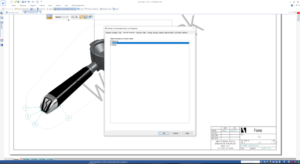
The Family of Assemblies (FOA) provides a visual guide for outdated FOA parts. Outdated parts remain in their state downstream, and you have full control over when to update the components.
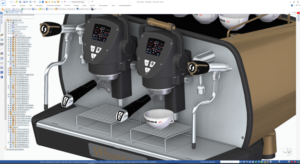 |
 |
Equation-driven Curves
Equation-driven curves is a new command that adds pre-defined curves to your design, allowing you to easily create complex curves using saved sets as starting points. The command uses parametric equations and parameters to define the curve, and provides a live preview as equations and parameters are modified.
Wrapped decals can now be exported to KeyShot for rendering, providing even more realistic visualizations.
Assign Capture Fit
Assign Capture Fit allows you to predefine relationships in the part environment for later use in the assembly environment, making assembly faster and easier. You can specify which part files to assign relationships to, and also view or skip relationships as needed.
Subdivision Modeling in Solid Edge 2022
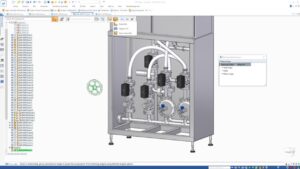
Subdivision modeling includes several new commands in this release. Subdivision modeling allows you to create loft-like bridges between faces or edges of a subdivision cage, enabling single-face bridges, two-face bridges with shape curves, linear bridges without shape curves, and open bridges using edges as input.
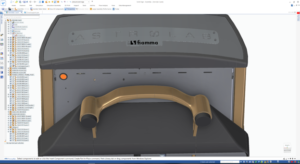
Subdivision offset lets you select cage faces and offset them along the normal direction, which is useful for subdividing faces without splitting the cage and avoiding non-quadrilateral faces. This feature also makes it easier to add geometry to raised or lowered areas.
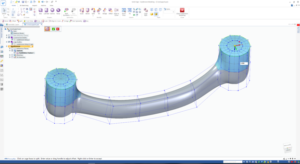
Curve alignment in subdivision modeling moves cage vertices to a pre-defined or repeatedly sketched curve to match existing shapes or to design new shapes using hand-drawn curves.
Laminar edge support creates new faces when laminar or disconnected edges are lifted.
Source: Siemens
SDE Technology Co., Ltd. (SDE TECH) was founded in 2014. By 2018, we proudly became a Smart Expert Partner – a leading Siemens Digital Industries Software partner in the ASEAN – Pacific region for Siemens NX (Unigraphics NX), Simcenter, Solid Edge, Tecnomatix, and Teamcenter management solutions.
 For businesses and customers, please contact SDE TECH via:
E-mail: sales@sde.vn – tech@sde.vn
Hotline: 0909 107 719
Website: www.sde.vn





