
 Tiếng Việt
 日本語
日本語 한국어
한국어
What’s New in the Design Configurator in Solid Edge 2022?
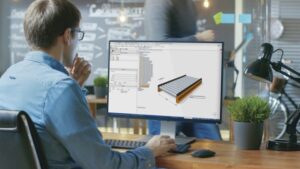
Create New Designs with a Single Click
Offering unique products is a competitive strategy to create differentiated value, earn higher profits, and increase customer trust. However, manually customizing designs can be costly, error-prone, and time-consuming. Solid Edge 2022 introduces the new Solid Edge® Design Configurator, an automation application that allows you to quickly design products based on customer requirements while eliminating costly errors associated with manual design customization.
Solid Edge Design Configurator automatically generates new designs based on predefined parameters and rules. Rule-based automation can significantly increase productivity and design speed.
Once installed, rules can be quickly tested within the current Solid Edge session. There is no need to compile rules or start a separate runtime session for testing. This dramatically accelerates the rule test/development cycle.
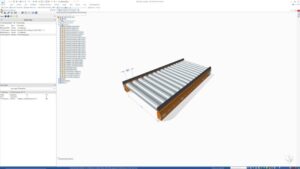
Rules
Fully embedded within the familiar mechanical design environment of Solid Edge, the Design Configurator automates many repetitive design tasks associated with order-based workflows. For example, it can reduce quotation times and minimize technical errors that erode order profitability. Additionally, automating order-based engineering processes frees up time for product innovation, which is especially useful when your engineering team must handle both order-specific engineering and new product development.
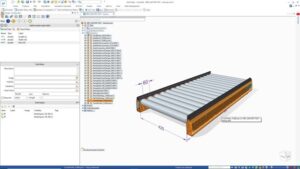
Define Master Inputs
The ability to quickly design a part at the point of sale allows you to create more accurate cost estimates, giving you the necessary information to negotiate confidently and predict order profitability more precisely. Solid Edge Design Configurator delivers related outputs, such as costed BOMs, compelling 3D visualizations, and business drawings.
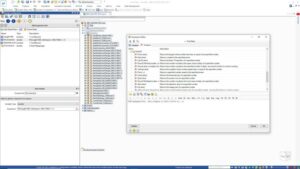
Expression Editor
Using Solid Edge Design Configurator eliminates the need for custom programming or complex spreadsheets linked to CAD via APIs — no programming knowledge is required. Off-the-shelf solutions can be difficult to maintain and scale, and they often lag behind evolving product designs and business rules.
The Design Configurator is easy to use, featuring a graphical interface that guides you through the product’s functional specifications. Configuration rules are defined directly within Solid Edge using a step-by-step guided process. The rules ensure that only valid product selections are made. Once the requirements are complete, the application automatically generates the product design. A simple change in specifications can create a customized design.
To see how Solid Edge Design Configurator works, watch the video below!
Source: Siemens
SDE TECHNOLOGY CO., LTD (SDE TECH) was established in 2014. By 2018, we became a Smart Expert Partner – a leading partner of Siemens Digital Industries Software in the Southeast Asia – Pacific region for Siemens NX (Unigraphics NX), Simcenter, Solid Edge, Tecnomatix, and Teamcenter solutions.






